

DL GO
Simply Secure Encrypted USB Storage for Everyone
DataLocker DL GO Product Features
The DataLocker DL GO is a secure USB flash drive built for individuals, SMBs, and teams that need strong protection without the complexity. Combining hardware-based AES 256-bit XTS encryption with optional biometric authentication, DL GO protects your files from the moment you plug it in. Pair it with a free MySafeConsole account to enable password recovery, device auditing, and remote management — no IT skills required.

Top-Tier Encryption
AES 256-bit XTS hardware encryption – more secure than software-based alternatives.

Rugged Durability
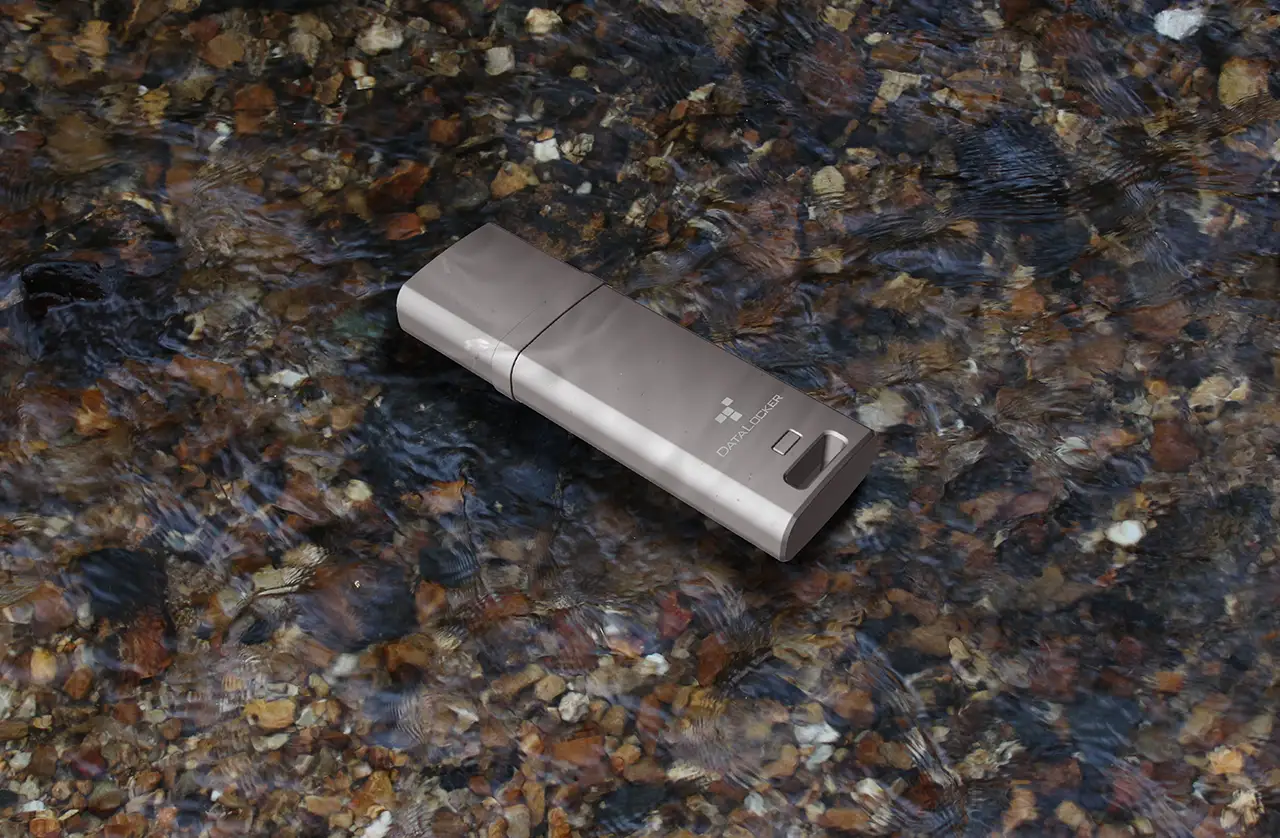
Built with a heavy-duty metal exterior and epoxy sealed internals, IP68 certified for dust and water resistance.

Advanced Security
Brute-force protection with cryptographic erase after ten failed attempts, plus complex password or passphrase support.

Read-Only Mode
Optional Read-Only Mode for ransomware protection and tampering

Compliance Ready
FIPS 197 certified, TAA-compliant, meets GDPR, HIPAA, ISO 27001 and more

Biometric Authentication
Optional biometric unlock with Windows Hello or macOS Touch ID for multi-factor authentication (MFA).
DataLocker DL GO Encrypted Flash Drive
Whether you’re securing tax files, business plans, or customer data, the DL GO secure flash drive ensures everything stays safe — even if the drive is lost or stolen. Unlike software-based encryption like BitLocker To Go, DL GO encrypts at the hardware level for stronger protection and offers optional centralized management.
Use Cases
The DataLocker DL GO secure USB drive is designed for:

Individuals
Store tax documents, health records, family files, and personal backups with confidence.

Small Businesses
Share and transport client data securely across teams and offices.

Non-Regulated Industries
An affordable way to add encryption without complex IT infrastructure.
Trusted by

Choose the right fit based on your needs:
For Individuals and Small Teams
MySafeConsole
- Free account setup
- Password recovery
- Device usage history
- Optional malware protection (Plus/Pro plans)
For Organizations
SafeConsole Enterprise
- Centralized policy enforcement
- Remote lock/wipe
- Compliance audit logging
- Role-based user/device management
DataLocker DL GO Customer Testimonials



Fast, Affordable, and No Lag
Finally, a secure flash drive that’s fast, affordable, and doesn’t make my laptop lag like BitLocker used to. Easy Rollout with Enterprise-Level Security
We rolled out DL GO drives to our entire staff in under a day. It’s plug-and-play simplicity with enterprise-level security. Saved by Password Recovery During Tax Season
DL GO is the first secure USB drive I’ve used that didn’t require a degree in cybersecurity. The password recovery saved me during tax season!Buy the DataLocker DL GO Now



Keep your data secure, even if your drive gets lost.
- Certified Security: FIPS 197, TAA compliant, meets GDPR, HIPAA, ISO 27001 and more.
- Strong Encryption: AES 256-bit XTS encryption for complete data protection.
- Easy-to-Use Passwords: Follow simple on-screen instructions to setup and use complex passwords up to 64 characters.
- Biometric Authentication: Optional biometric unlock for multi-factor authentication (MFA).
Technical Specifications for DataLocker DL GO Encrypted USB Flash Drive
Capacities
Available in 4GB, 16GB, 64GB
Temperature
- Operating: 0°C to 70°C
- Storage: -25°C to 85°C
Cryptographic Process
AES 256-bit XTS encryption; hardware-based; password required
Waterproof, Dust Resistance
IP68-rated; epoxy-sealed internals and rugged metal casing
Interface
USB 3.2 Gen 1 Type-A (USB-C adapter optional)
Average Transfer Speeds
- Read: 160 MB/s (all capacities)
- Write: Up to 15 MB/s (4GB); Up to 120 MB/s (other capacities)
Dimensions
55.8 mm x 18.6 mm x 9.6 mm; ~26g
Standards and Certifications
- FIPS 197
- IP68-rated
- TAA Compliant with a NATO-trusted supply chain
- FCC, CE, RoHS, WEEE, KCC
System Compatibility
- Windows® and macOS® compatible
Part Numbers
- DLGO-004
- DLGO-016
- DLGO-064
Warranty
Backed by a 5-year limited warranty for peace of mind.
Frequently Asked Questions (FAQ)
Can I recover my password if I forget it?
Yes, either with SafeConsole central management system or with a free MySafeConsole account, you can securely reset your password without wiping the drive.
Does DL GO work with macOS?
Yes, DL GO supports Touch ID for biometric unlocks on macOS and full encryption features.
Can I use DL GO without installing any software?
Absolutely. The Unlocker is built into the drive itself—no admin rights or installations required.
Is DL GO waterproof?
Yes. It’s IP68 rated and protected against dust and water immersion up to 2 meters.
Can DL GO be managed by SafeConsole?
Yes, DL GO can be optionally managed through SafeConsole for enterprise-level control.
Is MySafeConsole really free?
Yes! Individuals and small teams can use MySafeConsole Basic at no cost for password recovery and device visibility.
Does DL GO support USB-C?
Yes. A USB-C accessory cable is available (SKU#: CBLUSBAFCM).
What happens if I lose my DL GO secure flash drive?
You can remotely lock or wipe DL GO if it’s connected to MySafeConsole or SafeConsole.
Is the DL GO compliant with GDPR and HIPAA?
Yes. DL GO meets major compliance standards including HIPAA, GDPR, ISO 27001, SOX, and more.
What’s the difference between managing the DL GO on SafeConsole and MySafeConsole?
SafeConsole and MySafeConsole are both platforms for managing DataLocker encrypted USB drives—but they’re designed for different users:
-
MySafeConsole is made for individuals and small teams. It’s a cloud-based platform that lets you manage your DL GO drive with features like secure password recovery, remote lock/wipe, audit logs, and multi-factor authentication. It’s quick to set up, doesn’t require IT support, and has a free tier to get started.
-
SafeConsole is built for large organizations and government agencies. It supports advanced enterprise features like on-premise deployment, integration with Active Directory, SIEM logging, and granular policy control across thousands of devices.
In short:
Use MySafeConsole if you’re a prosumer, freelancer, or SMB.
Use SafeConsole if you’re in enterprise IT or government security.